Hippocrates MedEcosystem
Dynamic Physician Workspace
Quick Start Guide
Ask → Explore → Refine → Repeat
A Dynamic, Iterative Workflow
Hippocrates is a conversational workspace. You tell it what you want to see, and it builds the workspace for you. Then you can refine your request, explore different data, and repeat.
Enter Your Request
Type what you want to see in the Physician Request box using ordinary language. Ask for a broad group of clinical information or individual items.
• Show me all hematology data.
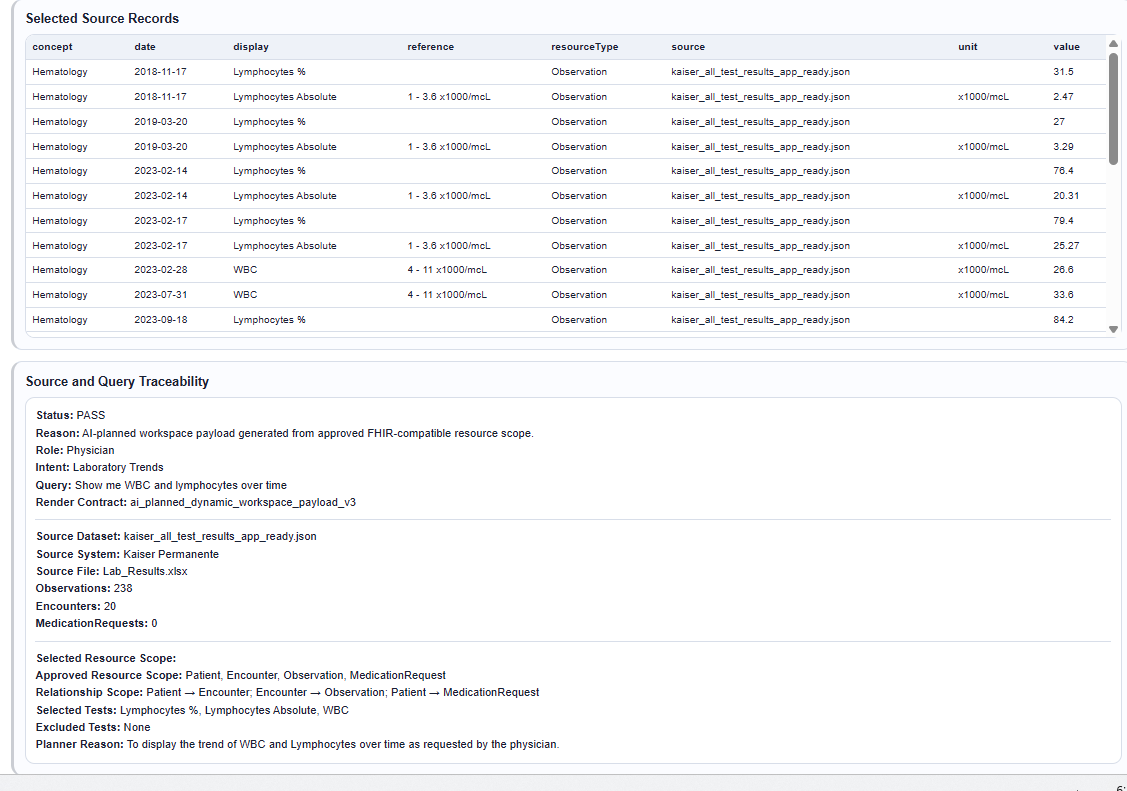
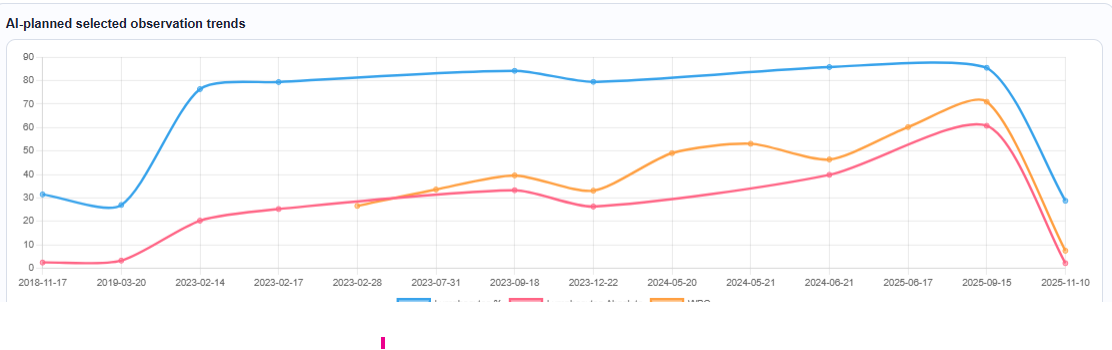
• Show me WBC and lymphocytes over time.
• Show kidney function trends.
• Show current medications.
Generate the Workspace
Click Generate Workspace. The AI workspace planner determines the relevant data and builds a workspace for your request.
This may take a few seconds.
Review the Results
The page shows a tailored workspace with visualizations, tables, and key information for your request. The layout may change depending on what you ask for.
Refine or Ask for Something New
Use the same Physician Request box to modify your request or ask for different information. You do not need to start over.
• Drop WBC and show lymphocytes only.
• Show yearly lab work and trends.
• Show kidney function trends.
• Show current medications.
Generate Again
Click Generate Workspace again. The page will reconfigure with the new results. Different requests may show different sections, graphs, and tables.
This may take a few seconds.
Explore the New Results
Review the updated visualization and data. Pay attention to graph axes, scale, and units, especially when multiple tests with different ranges are shown together.